

SattvaHR™
Streamline Your Workforce
LoadingStreamline Your Workforce
LoadingStreamline Your Workforce
LoadingSay goodbye to manual salary calculations and Excel sheets!
With SattvaHR’s Payroll module, you can automate the entire salary process — from setting up salary structures to generating payslips in just a few clicks.
It’s built to simplify HR and Admin work, ensuring employees get their salaries on time, with complete accuracy and transparency.

Five steps from structure to paid — no spreadsheets in between.
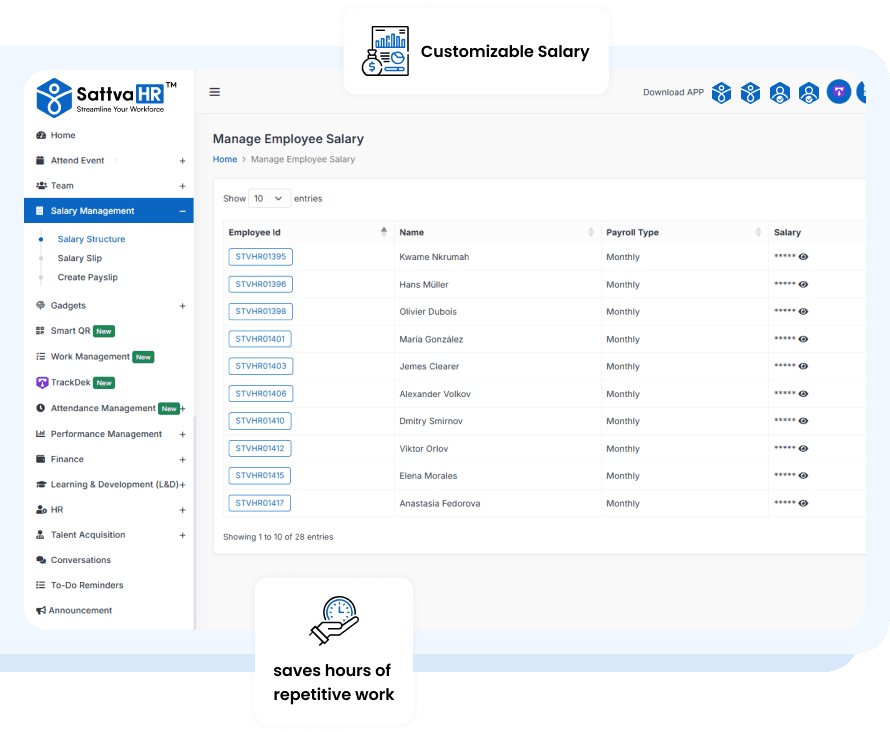
Start by navigating to the Salary Structure under the Salary Management section.
Here, you can add every component that makes up your employee’s pay — including Basic Pay, Allowances (like Commission, Overtime and Bonus), and Deductions (like Loan Repayment, Taxes or Other Deductions).
Once defined, SattvaHR automatically saves this structure, ensuring that each employee’s payroll is processed exactly according to your company’s policies and requirements. This setup takes just a few minutes but saves hours of repetitive work every month!
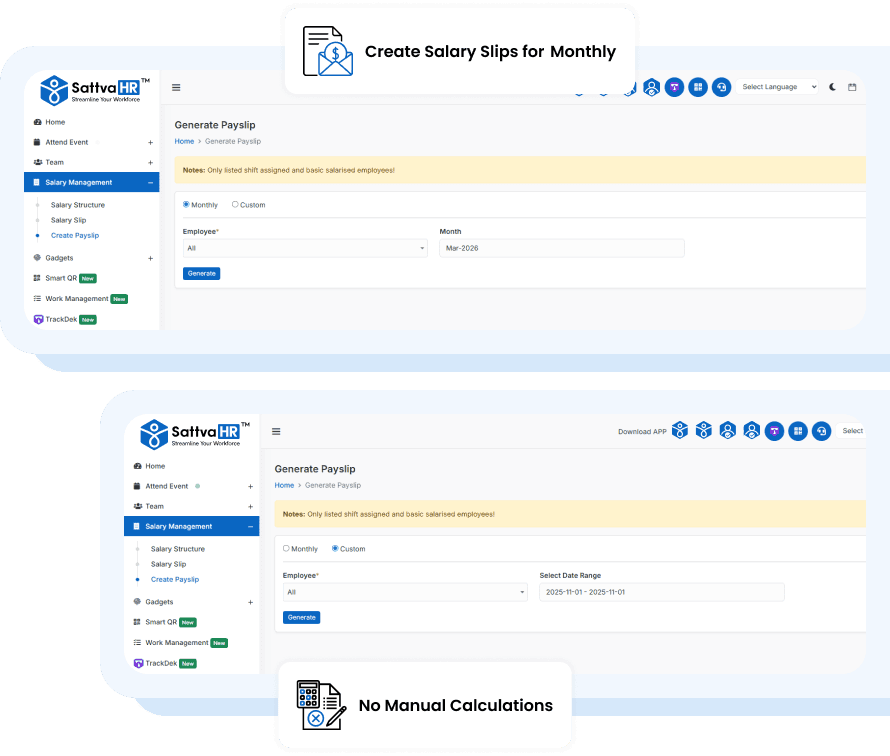
Once your salary structure is ready, generating payslips becomes effortless.
Under Generate Payslip, you can create salary slips for Monthly, Hourly, or even Custom Date ranges. Select a single employee for a custom payslip or choose “All Employees” for batch processing — the system will instantly generate payslips for the selected period.
No complex steps, no manual calculations — just a seamless and error-free payroll process every time.
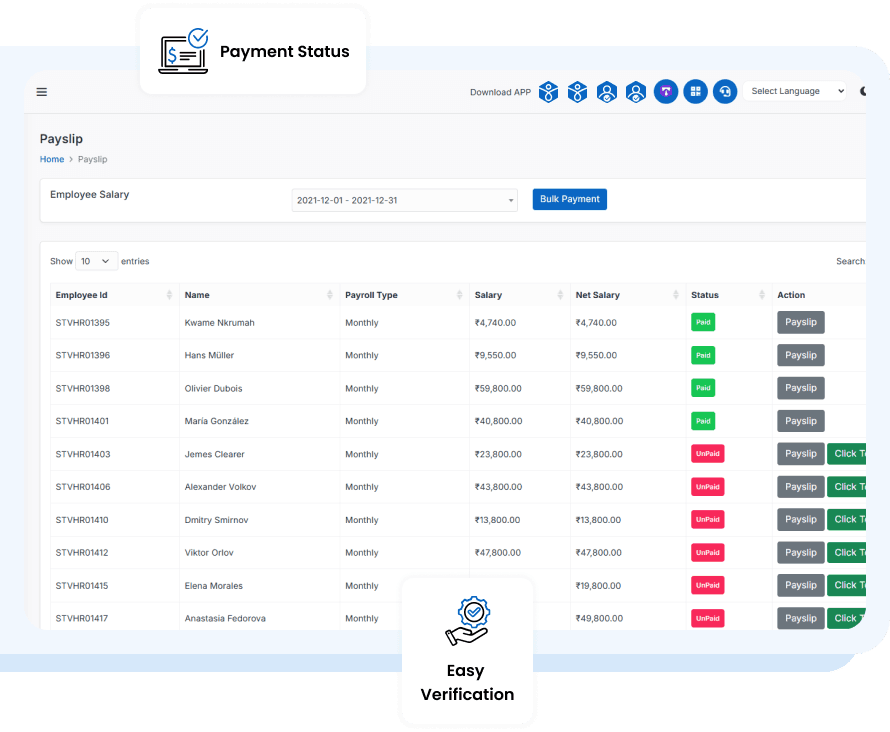
After generating, the system neatly lists out all employee details including Employee Name, Salary Amount, and Payment Status (Paid or Unpaid).
By simply clicking on “Payslip”, you can view the complete breakdown — from gross pay to deductions and net salary — all formatted clearly for both HR and employees.
This ensures full transparency and easy verification before disbursing salaries.
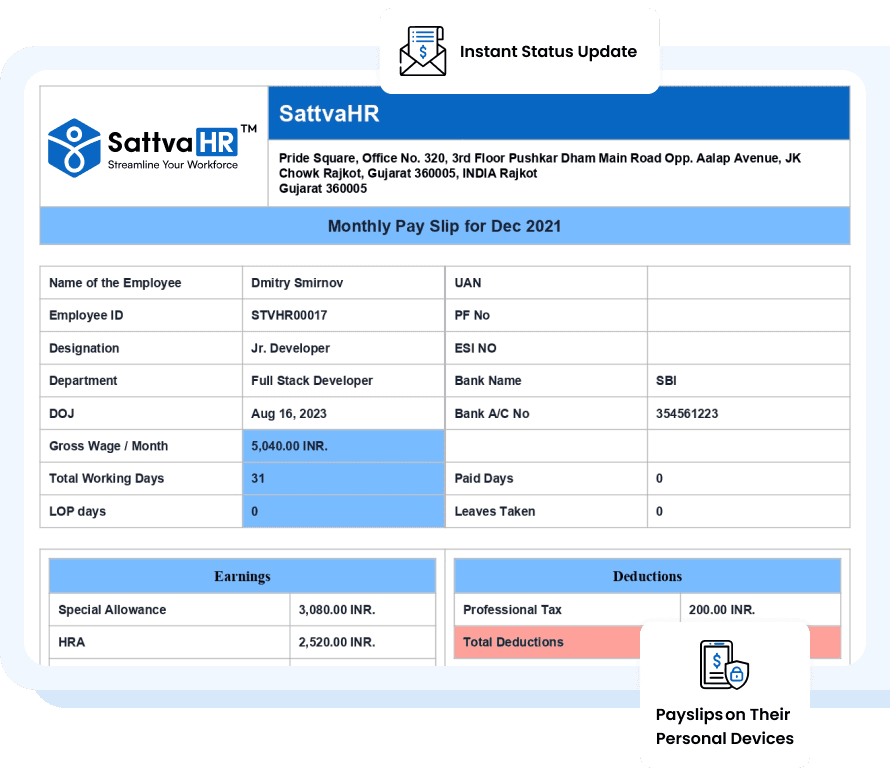
Once the salary is transferred, just click on “Click to Paid” to update the payment status.
This changes the status from “Unpaid” to “Paid”, confirming that the transaction has been completed successfully.
After this, employees can directly view and download their final payslips on their personal devices via the SattvaHR mobile application — ensuring convenience and transparency.

Payroll processing in SattvaHR is designed with security, accuracy, and ease-of-use in mind.
Only authorized HR or Admin personnel with valid login credentials can access, modify, or generate payroll data — ensuring complete data privacy.
The entire process, from setup to payslip generation, can be completed within minutes, making it one of the most efficient payroll systems for growing companies.

With SattvaHR’s Payroll module, you’re always just one click away from accurate and timely salary management.
Empower your HR team to process payroll effortlessly while keeping your employees happy, informed, and paid right on time.

Full access to every feature. No credit card, no setup fees — upgrade only when you're ready.


